
• Micro-Learning: Zoom Basics Training

    Join this special CETL Session and learn how Zoom can be used as an alternative method for online course delivery. Session Learning Objectives: Recognize the Zoom Pro Account interface used at WesternU Create, schedule, join and start a Zoom meeting Learn how to operate Zoom’s web conferencing capabilities.

  • Zoom Advanced Training

    You have accomplished Zoom Basics, and now you're wondering: "What's Next?"  In this session we will continue with our Zoom training and introduce you to some of the more advanced features:   Use and share the White Board Minimize background distractions using the Virtual Background feature Take attendance with Zoom Share best practices for when…

  • Zoom Advanced Training

    You have accomplished Zoom Basics, and now you're wondering: "What's Next?"  In this session we will continue with our Zoom training and introduce you to some of the more advanced features:   Use and share the White Board Minimize background distractions using the Virtual Background feature Take attendance with Zoom Share best practices for when…

  • Zoom Advanced Training

    You have accomplished Zoom Basics, and now you're wondering: "What's Next?"  In this session we will continue with our Zoom training and introduce you to some of the more advanced features:   Use and share the White Board Minimize background distractions using the Virtual Background feature Take attendance with Zoom Share best practices for when…

  • Creating and Facilitating a Virtual Poster Presentation

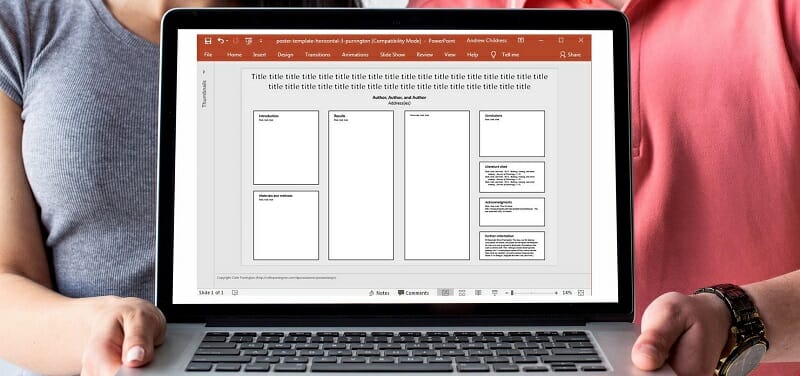
    Recent prohibition of large group meetings has impacted all of us in academia causing the cancellation of conferences, symposia, college- and department-level faculty and staff meetings, etc. These current restraints have prompted us to think outside the box when it comes to the standards related to Scientific Poster Presentations. As an IPE student at the…

  • 3 Questions to Consider in Student-Centered Remote Teaching

    Zoom

    While online and remote education may not be equal, today's new remote educators can work toward providing high-quality, engaging learning experiences for their students. Providing access to content is a great first step, but access on its own does not make for a quality learning experience.  During this session we will review the EDUCAUSE article…

  • Office Hours: Instructional Design

    ID office hours are offered on Thursdays from 3:30-4:30 PM. The virtual office hours are staffed by Instructional Designers, who are knowledgeable in online pedagogy, instructional technology tools, learning resources, curriculum mapping, e-learning development, and more. This will be an open Q&A Zoom session with no outlined agenda; you bring your questions and we'll work…

  • Office Hours: Instructional Design

    ID office hours are offered on Thursdays from 3:30-4:30 PM. The virtual office hours are staffed by Instructional Designers, who are knowledgeable in online pedagogy, instructional technology tools, learning resources, curriculum mapping, e-learning development, and more. This will be an open Q&A Zoom session with no outlined agenda; you bring your questions and we'll work…

  • Office Hours: Instructional Design

    ID office hours are offered on Thursdays from 3:30-4:30 PM. The virtual office hours are staffed by Instructional Designers, who are knowledgeable in online pedagogy, instructional technology tools, learning resources, curriculum mapping, e-learning development, and more. This will be an open Q&A Zoom session with no outlined agenda; you bring your questions and we'll work…

  • Office Hours: Instructional Design

    ID office hours are offered on Thursdays from 3:30-4:30 PM. The virtual office hours are staffed by Instructional Designers, who are knowledgeable in online pedagogy, instructional technology tools, learning resources, curriculum mapping, e-learning development, and more. This will be an open Q&A Zoom session with no outlined agenda; you bring your questions and we'll work…