
• Zoom Meetings for Education (Partner Webinar)

    Office Hours: Instructional Design

    Audience: All Duration: 60 minutes Prerequisites: An understanding of e-mail and video conferencing principles is helpful. In this session you will learn: 1) How to download the Zoom applications and join a Zoom meeting; 2) How to schedule a meeting and send out invitations; 3) In-meeting controls and differentiation tools (including the waiting room, share…

  • Zoom Webinars, Part 2: Hosting Your Webinar (Partner Webinar)

    Office Hours: Instructional Design

    Experience: Intermediate Duration: 45 minutes Pre-requisites: Zoom Webinars, Part 1: Planning Your Webinar. A Pro account or higher with the Webinar add-on is required to host Zoom Webinars. Our Zoom trainer ill guide you through all aspects of hosting your webinars including using Practice Mode, managing panelists and attendees, and engaging your audience. This session…

  • Zoom to Mediasite Integration Resources

    Zoom

    Using the Zoom to Mediasite Integration in Your Department. Learn how your department can automatically import cloud recordings from Zoom into the central storage and management area for much of the University's curriculum and departmental content- Mediasite.

  • Tales of the ZOUSs (Zooms Of Unusual Size)

    Zoom

    Zoom: 1 program, 3 courses, 2 states, 25 faculty, and a combined 1,500 students...how do we do this with Zoom!? In this CETL Session, we will discuss experiences and lessons learned of "Zooms of Unusual Sizes" from the IPE program. The Interprofessional Education (IPE) program has over 1,500 students enrolled in the IPE curriculum each…

  • Partner Webinar: How to Create Active and Engaging Learning Experiences with Zoom Breakout Rooms

    Zoom’s breakout rooms provide a unique opportunity to learn to create active and engaging learning experiences for students. Join Contact North | Contact Nord’s Research Associate, Dr. Ron Owston, who describes how educators can: Move beyond holding ineffective, unstructured breakout room discussions Create distinctive breakout room roles for students to promote active participation Employ a…

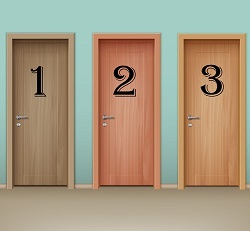
  • Will it be Door #1, or Door #2, or Door #3…

    Zoom

    Zoom keeps the updates coming, and this time there are some exciting updates to Breakout Rooms! Students are now able to CHOOSE their own breakout room. Maybe Door #1 has a discussion on a specific and Door #2 has a discussion on a different topic...with the newest Zoom Breakout Room features, your students can now…

  • Using the Zoom to Mediasite Integration in Your Department

    Using the Zoom to Mediasite Integration in Your Department Learn how your department can automatically import cloud recordings from Zoom into the central storage and management area for much of the University's curriculum and departmental content- Mediasite.

  • Webinar: How to Create Active and Engaging Learning Experiences with Zoom Breakout Rooms

    Contact North | Contact Nord Webinars

    Zoom’s breakout rooms provide a unique opportunity to learn to create active and engaging learning experiences for students. Join Contact North | Contact Nord’s Research Associate, Dr. Ron Owston, who describes how educators can: • Move beyond holding ineffective, unstructured breakout room discussions • Create distinctive breakout room roles for students to promote active participation…

  • Webinar: Transforming Universities with Digital Distance Education – The Future of Formal Learning

    Contact North | Contact Nord Webinars

    When we consider how to transform universities with distance education, we are really pondering the future of formal learning itself. How can we leverage the opportunities of emerging technology and new approaches to learning and skills to make higher education more affordable and relevant? What have we learned in the past decade about scale, inclusion…